
Linking your Talentech account
How to link your Talentech (Talent Recruiter) account to Wintro?
Wintro connects to Talentech Talent Recruiter directly through the Talentech API. Once connected, your vacancies appear in Wintro, referrals are created as applications in Talentech, and their status and hires flow back.
Prerequisites
You need a Talentech administrator who can manage apps (API clients) in your Talentech account. The connection flow asks for:
- the Client ID and Client Secret of an API client for Wintro
- optionally, your Job Portal alias, so Wintro can show the ad text of your published vacancies
Your Wintro contact enables the Talentech card under Settings → Integrations first. Ask them if you do not see it.
Instructions
-
Create an app for Wintro. In Talentech, create a new app. Talentech calls the API client an app. On its DETAILS tab, give it a recognisable display name, for example
wintro, and click UPDATE. If you cannot manage apps yourself, your Talentech account manager or support can create it for you.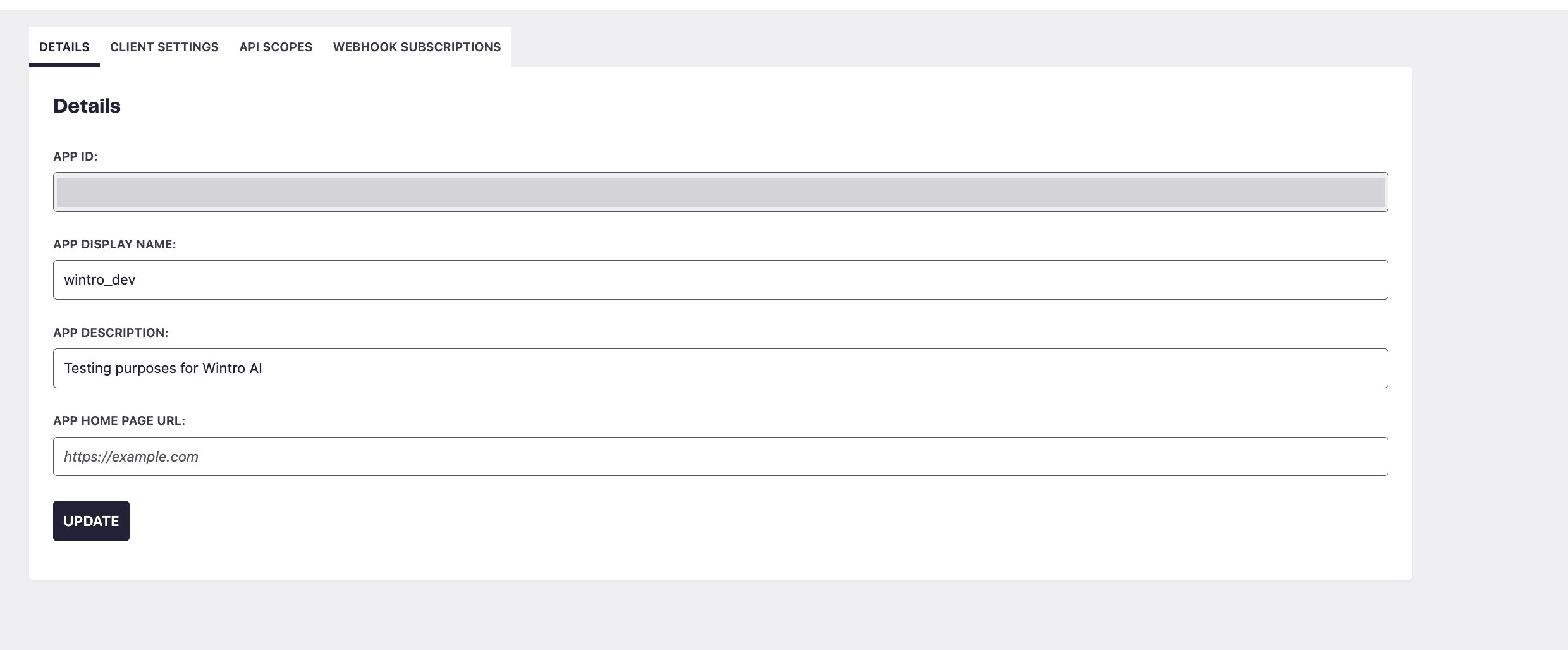
-
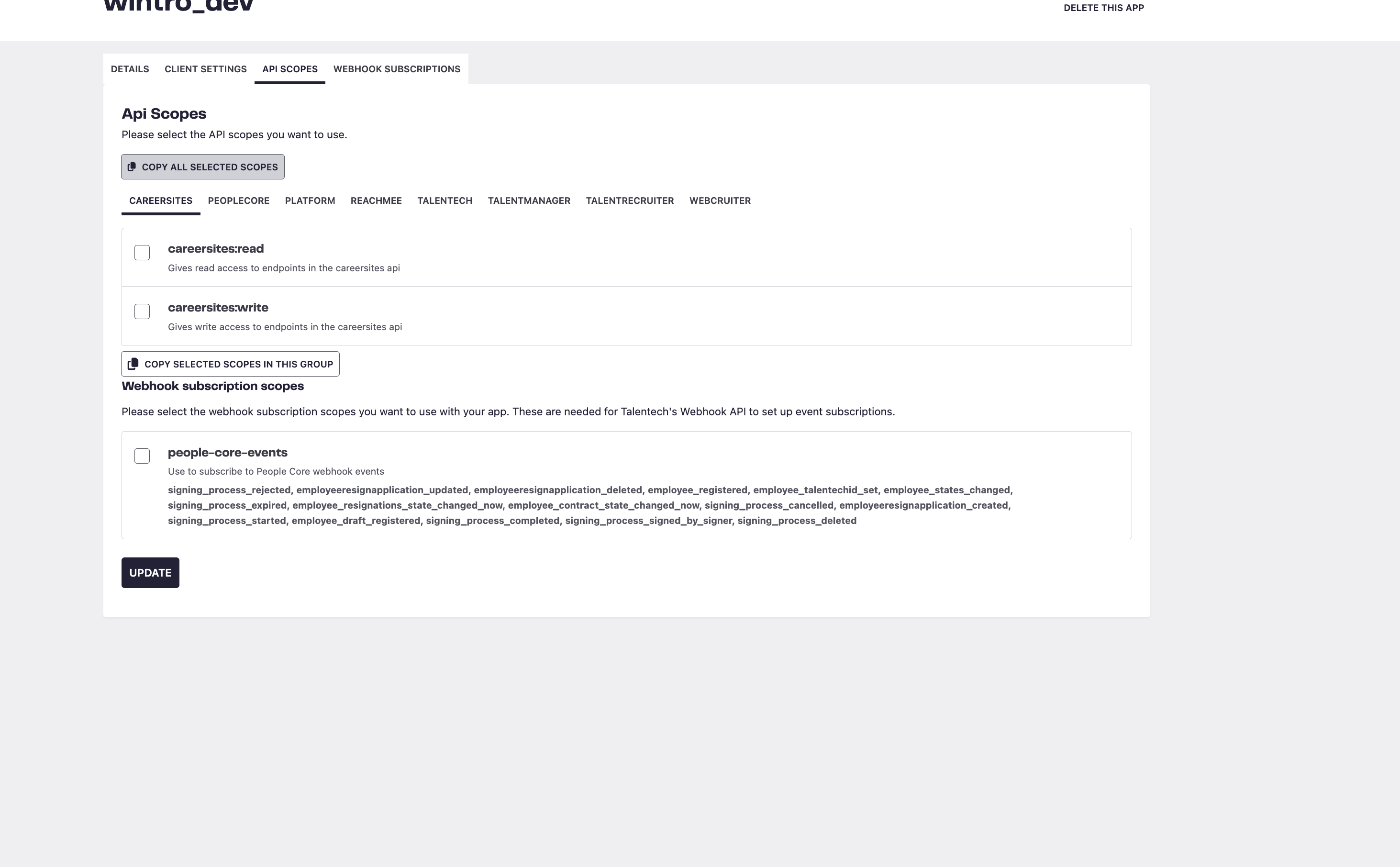
Give the app its scopes. Open the API SCOPES tab. The scopes are grouped by product in a second row of tabs. Click TALENTRECRUITER, tick these six scopes and click UPDATE:
talentrecruiter-projects:read
talentrecruiter-candidates:read
talentrecruiter-jobapplications:read
talentrecruiter-jobapplications:write
talentrecruiter-workflows:read
talentrecruiter-documents:read
Wintro needs no other scopes and no webhook subscriptions. The Wintro connection flow shows the same list with a copy button.
-
Copy the Client ID and create a secret. Open the CLIENT SETTINGS tab. Copy the Client ID. Under Secrets, type a name such as
wintro, click ⊕, and copy the secret value that appears. Talentech shows it only once: copy it before you leave the page. If you lose it, create a new one.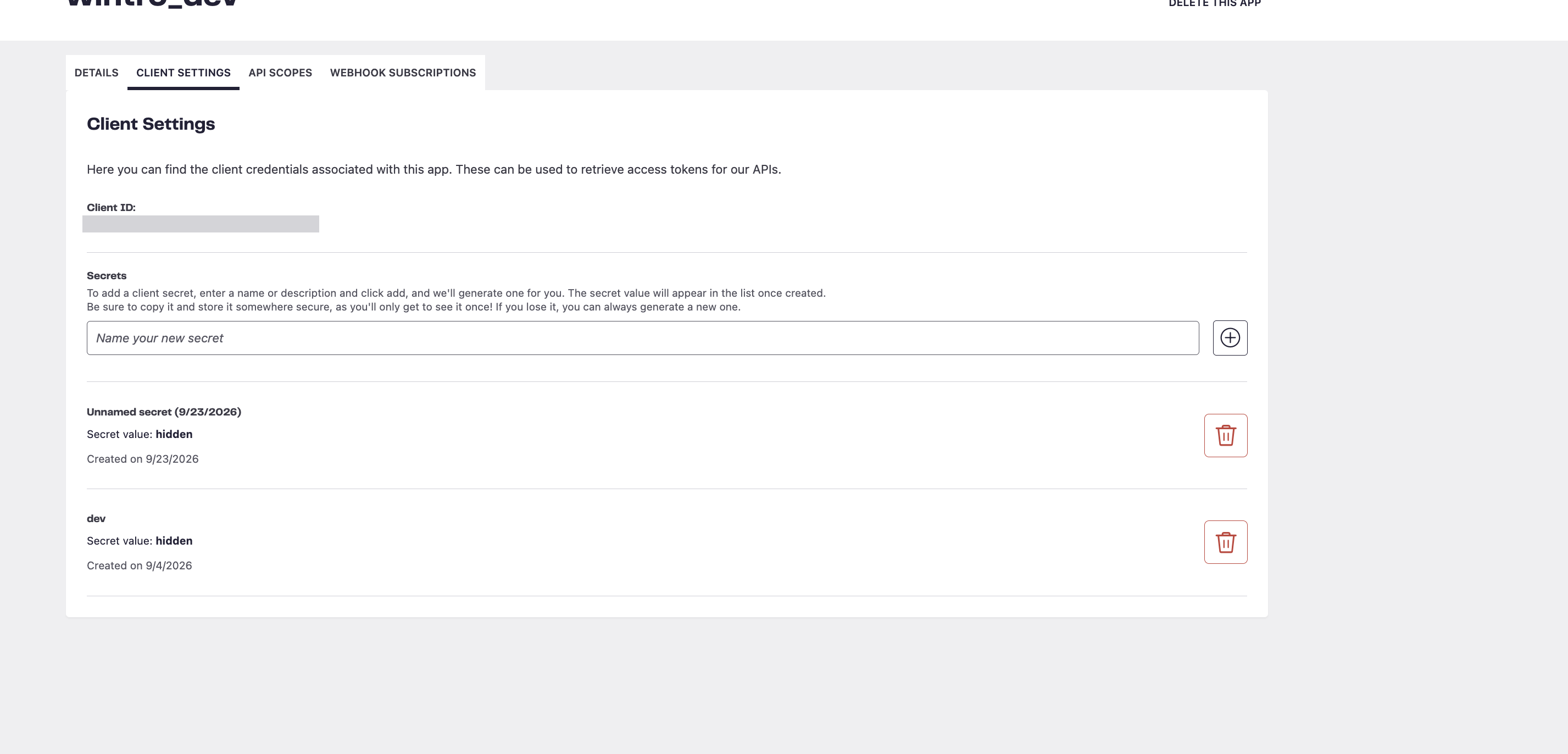
The secret gives access to your Talentech data. Share it through a password manager or enter it together, not in a plain email.
-
Ask for your Job Portal alias. This is the name Talentech uses for your career page, for example
yourcompany. Talentech support can tell you. It is optional: without it, your vacancies show up in Wintro with their title only. -
Connect in Wintro. Go to Settings → Integrations, click Connect on the Talentech card and paste the Client ID, the Client Secret and, if you have it, the Job Portal alias.
-
Let Wintro verify. Wintro signs in with the client, reads your projects and looks up your Job Portal before anything is saved. If a check fails, the fix is shown right under it. Once all checks pass, Wintro starts syncing your vacancies within the hour.
What Wintro reads and writes
- Vacancies are your active recruitment projects. Open applications, events, templates and test projects are left out.
- Job descriptions come from your Job Portal, so only published projects have one. Talentech does not expose the ad of an unpublished project.
- Referrals are created as an application on the project, with the referrer’s name and comment, and the CV attached.
- Status and hires are read from the application’s workflow status and Talentech’s hire registration.
Good to know
- Talentech has no API for notes or tags. The referral comment is stored on the application instead.
- Wintro cannot move an application to another stage. New referrals start in the first stage of your workflow.
- To replace the client, use Replace client on the Talentech card. Disconnect removes the client and stops the sync.


